Phishing
When receiving an email check the actual email address by clicking on Show more Details (depends on the website/app, maybe its two arrows to extend the information) next to their and your name at the top or clicking on the senders name.
For example you may recieve an email from “Apple Help” But under futher inspection the email address is [email protected].
Below are two examples, the first being a legitimate email from google. The second being a fake!

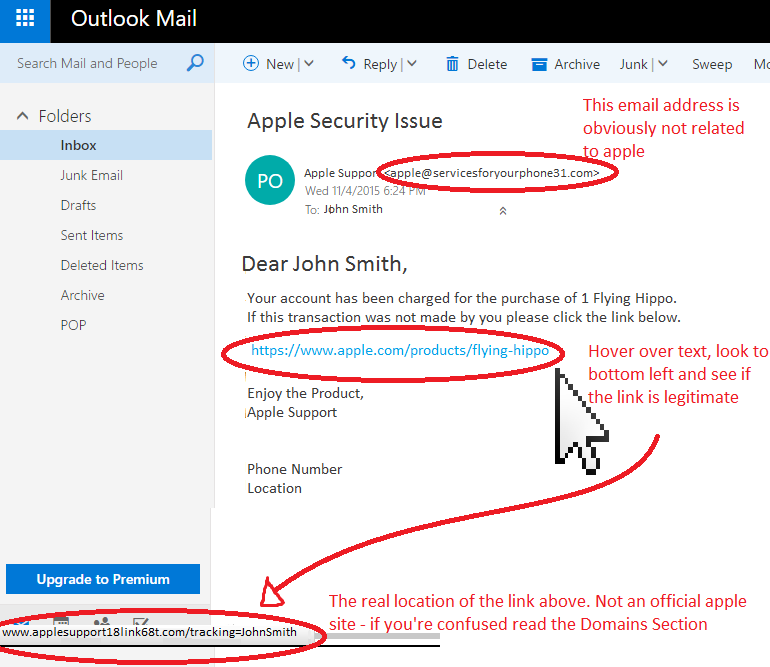
The same goes for links - do not click them - read this section on reviewing Links before clicking #CheckingLinks
If this is slightly overwhelming for you, dont worry but follow this one rule:
Don’t click anything in e-mails unless you are expecting it. If you recieve an email saying you have ordered something you have not, or your Government account is broken. Don’t click the link, instead go to the website in question (ie Amazon.com or SSA.gov and review the issue from there.