LastPass
https://www.lastpass.com/ Skip Past BitWarden/Keepass Instructions to next Topic
Download the appropriate browser extension and follow the instructions below. LastPass is activated by pressing the grey (or red) 3 dots icon along your menu bar at the top.
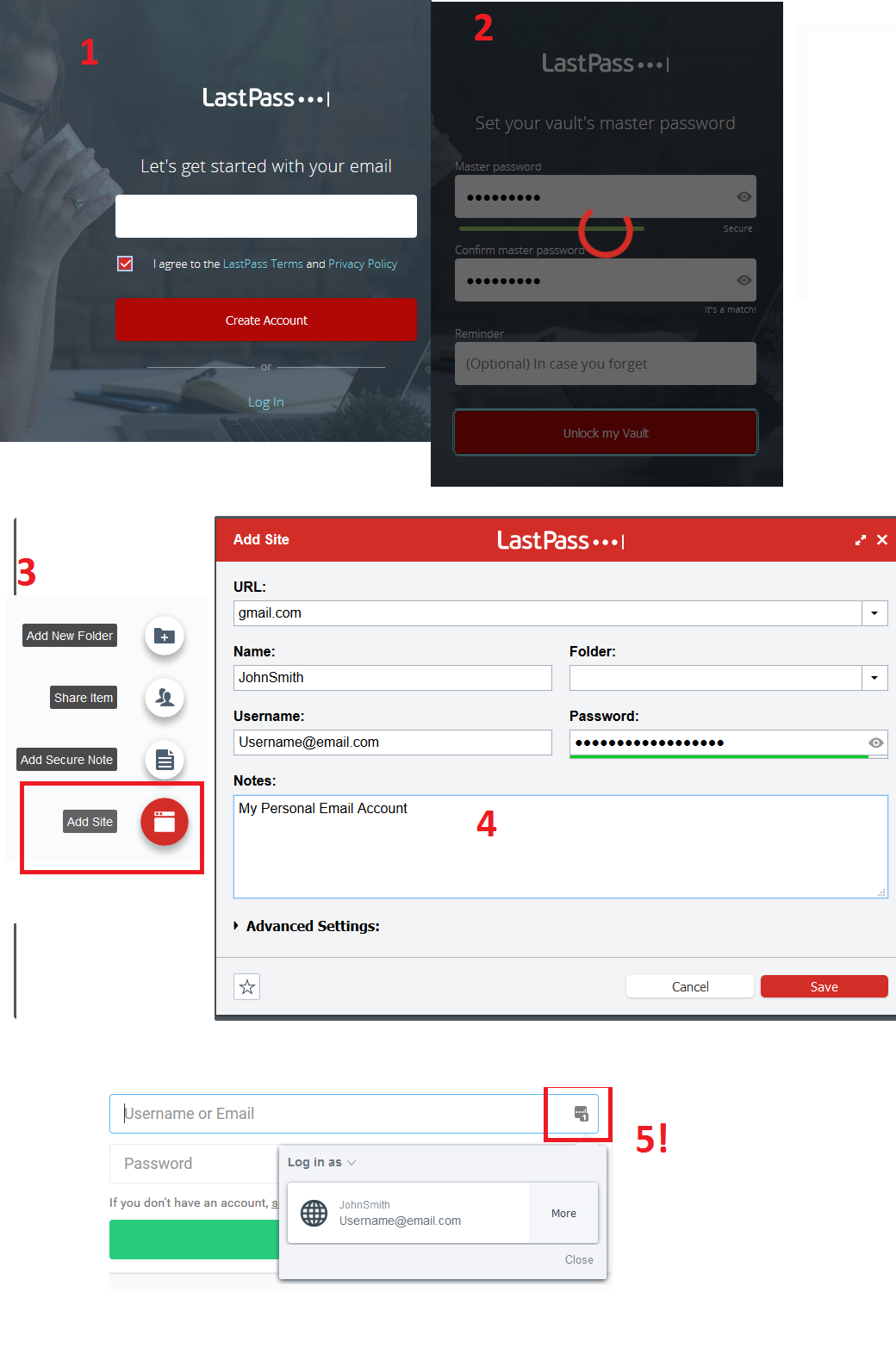
- Create an Account)
- Create a masterpassword, DO NOT FORGET PASSWORD
- On the LastPass Vault Screen, at the bottom right click Add Site
- Fill out the information, if you wish to generate a secure new password at any time you can right click -> Lastpass -> Generate Secure Password.
- To retrieve the saved information, go to the log on page and at the top right LastPass Icon should display a number to show you have 1 possible login. Click the LastPass Icon on your Username/Password field and the extension will autofill out the form for you!