Keepass
http://keepass.info/download.html
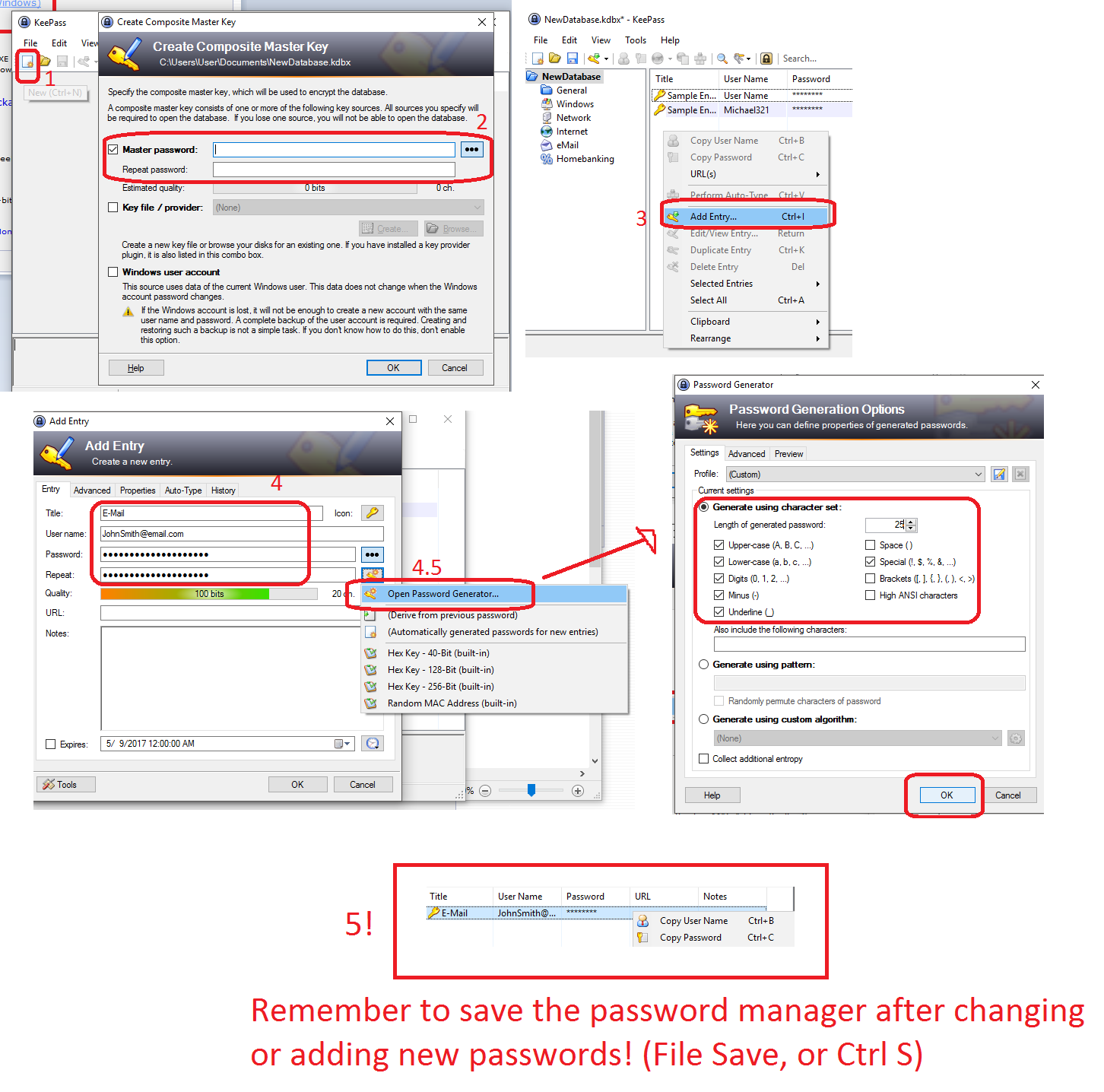
Download the Profession Edition (2.XX) and follow the instructions on the installer. Open up Keepass:
1 Create New
2 Read the instructions and create a masterpassword (DO NOT FORGET THIS) Hit Okay Twice
3 In your new database right click and Add Entry
4 Now fill in the details, you can tell it your existing password or ask it to make a new one
4.5 Open Password Generator the Key icon and tell it to generate a password within these parametres.
- Save the locker (Ctrl S or File, Save). You can now get your user name or password by right clickign the entry and clickign copy either and then right clicking and pasting when needed.